
Zero-dependency JavaScript library for connecting to IronBCI devices directly from the browser via Web Bluetooth — extract neural states (relaxation, focus, meditation) with a few lines of code.
Important: Web Bluetooth requires
connectBLE()to be called from a user gesture (e.g. a button click). Browsers throwSecurityError: Must be handling a user gestureif you call it automatically on page load.
Quick Start
<script src="https://cdn.jsdelivr.net/gh/pieeg-club/PiEEG-server@main/pieeg.js"></script>

<button id="connect">Connect PiEEG</button>

<script>
  const pieeg = new PiEEG();

  // The click is the required user gesture for the Bluetooth prompt
  document.getElementById('connect').addEventListener('click', async () => {
    await pieeg.connectBLE();

    pieeg.onBandPowers((bands) => {
      const relaxation = pieeg.getRelaxationIndex();  // 0.0 – 1.0
      const focus = pieeg.getFocusIndex();
      const meditation = pieeg.getMeditationIndex();

      console.log(`Relaxation: ${(relaxation * 100).toFixed(0)}%`);
      console.log('Alpha power:', bands.Alpha);
    });
  });
</script>
Features
- One-call connect — Web Bluetooth (IronBCI) or Web Serial (IronBCI-32)
- Band powers — Delta, Theta, Alpha, Beta, Gamma (µV²)
- Mental states — Relaxation, focus, meditation indices
- FFT & spectral — 256-point FFT, configurable update rate
- Zero dependencies — Single file, works anywhere
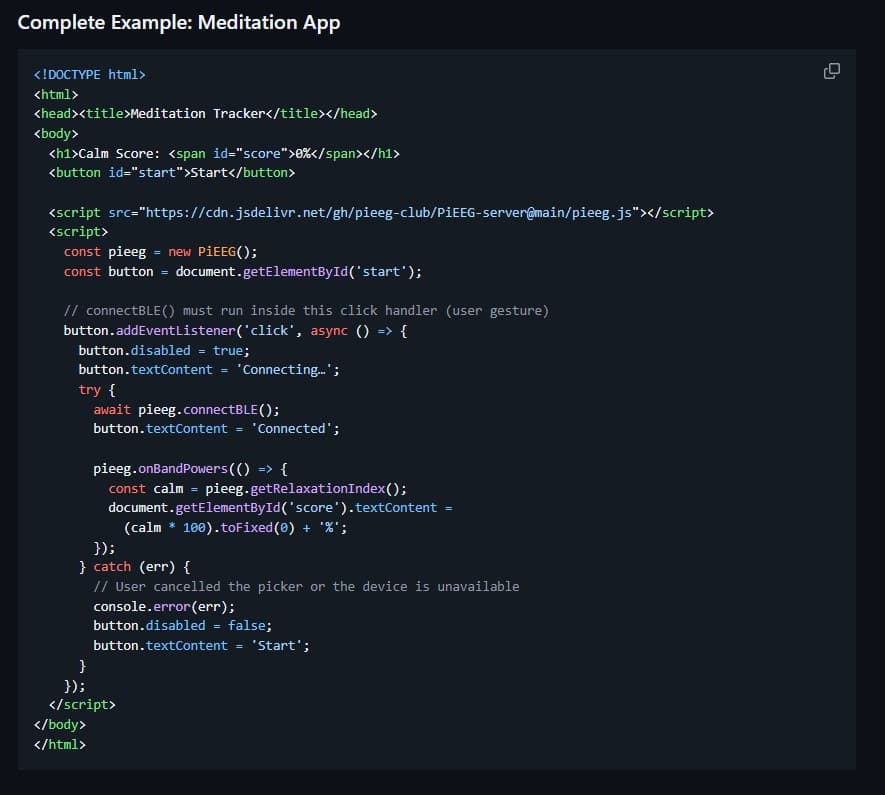
Complete Example: Meditation App
<!DOCTYPE html>
<html>
<head><title>Meditation Tracker</title></head>
<body>
  <h1>Calm Score: <span id="score">0%</span></h1>
  <button id="start">Start</button>

  <script src="https://cdn.jsdelivr.net/gh/pieeg-club/PiEEG-server@main/pieeg.js"></script>
  <script>
    const pieeg = new PiEEG();
    const button = document.getElementById('start');

    // connectBLE() must run inside this click handler (user gesture)
    button.addEventListener('click', async () => {
      button.disabled = true;
      button.textContent = 'Connecting…';
      try {
        await pieeg.connectBLE();
        button.textContent = 'Connected';

        pieeg.onBandPowers(() => {
          const calm = pieeg.getRelaxationIndex();
          document.getElementById('score').textContent =
            (calm * 100).toFixed(0) + '%';
        });
      } catch (err) {
        // User cancelled the picker or the device is unavailable
        console.error(err);
        button.disabled = false;
        button.textContent = 'Start';
      }
    });
  </script>
</body>
</html>
React Integration
import { useState } from 'react';

function BrainMonitor() {
  const [pieeg, setPieeg] = useState(null);
  const [relaxation, setRelaxation] = useState(0);

  const connect = async () => {
    const device = new window.PiEEG();
    try {
      // onClick is the user gesture required by Web Bluetooth
      await device.connectBLE();
    } catch (err) {
      console.error(err); // user cancelled picker or device unavailable
      return;
    }

    device.onBandPowers(() => {
      setRelaxation(device.getRelaxationIndex());
    });

    setPieeg(device);
  };

  return (
    <div>
      {!pieeg ? (
        <button onClick={connect}>Connect</button>
      ) : (
        <h2>Relaxation: {(relaxation * 100).toFixed(0)}%</h2>
      )}
    </div>
  );
}
Add the script tag to your HTML:
<script src="https://cdn.jsdelivr.net/gh/pieeg-club/PiEEG-server@main/pieeg.js"></script>
Get Started
Visit the PiEEG Server repository for full documentation, API reference, and more examples.