Brain-to-hardware learning kit

OctoBio Kit

Brain rhythms in. Real-world actions out.

A wireless EEG board and an Arduino starter kit. Explore biosignals, build with blocks, and bring lights, motors and screens to life.

CHANNELS16-channel EEG
CONNECTIONBluetooth + USB
PROGRAMMINGBrowser blocks
View current price and availability at Elecrow
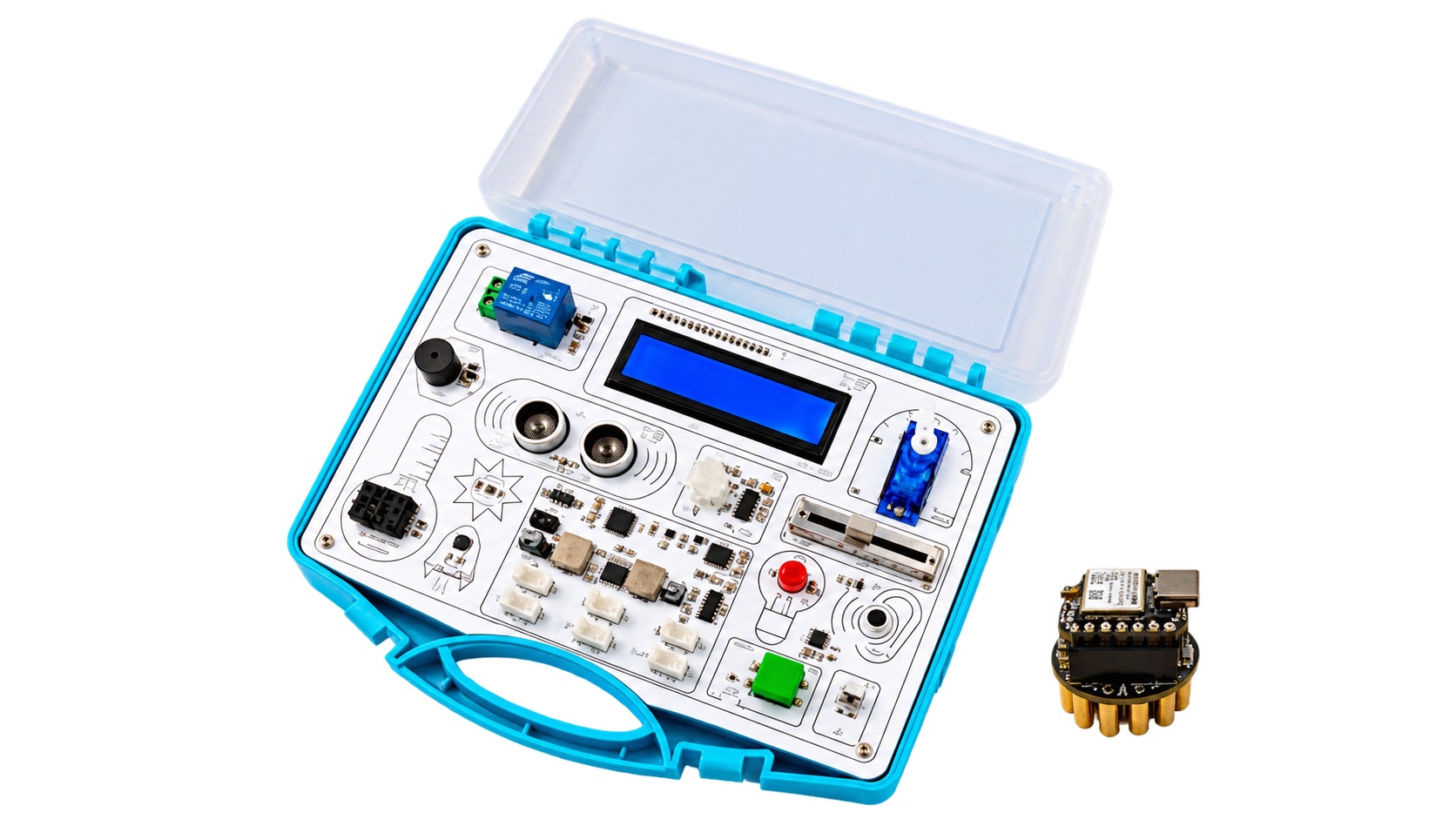
OctoBio starter kit and Octopus 16 EEG board
The complete kit

Actual hardware · Product photography from PiEEG

EXPLORE OCTOBIO

A hands-on introduction
to biosignals.

From your first sensor reading to a working experiment. Connect the kit, try a lesson, and build a rule of your own.

EEG channels
16, dry pogo pins
Converters
2 × ADS131M08, 24-bit
EEG link
Bluetooth LE, 250 SPS
Hardware kit
Arduino Uno, USB serial
Programming
Blocks, 5 levels
Runs in
Chrome or Edge, desktop
01

ConnectBluetooth + USB, both live at once

02

BuildDrag-and-drop blocks

03

RunWatch the hardware respond

One condition.
One action.

Every lesson is a single rule, so students see cause and effect straight away. Pick a lesson, press the controls and watch the program and the hardware react.

    Simulated signals to show the idea. Real recordings are noisier, and focus and relax are uncalibrated indicators.

    The program

    The hardware

    Two devices,
    one browser tab.

    The Octopus 16 is the brain side. The starter kit is the room side: it senses the room and acts on it. The web app reads both at the same time and links them with your blocks. You can also use either one on its own.

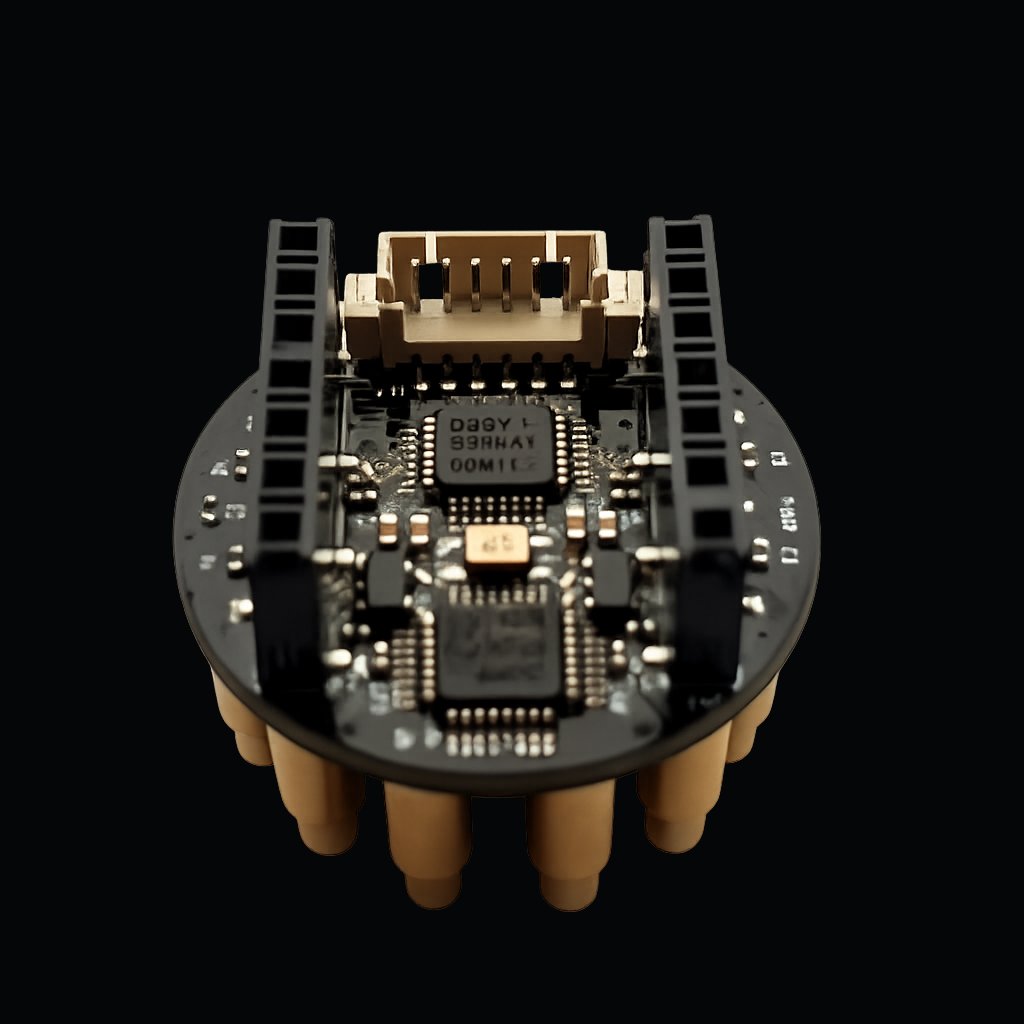
    Actual Octopus 16 EEG board
    01 / Read the signal
    Brain side · Web Bluetooth

    Octopus 16 EEG board

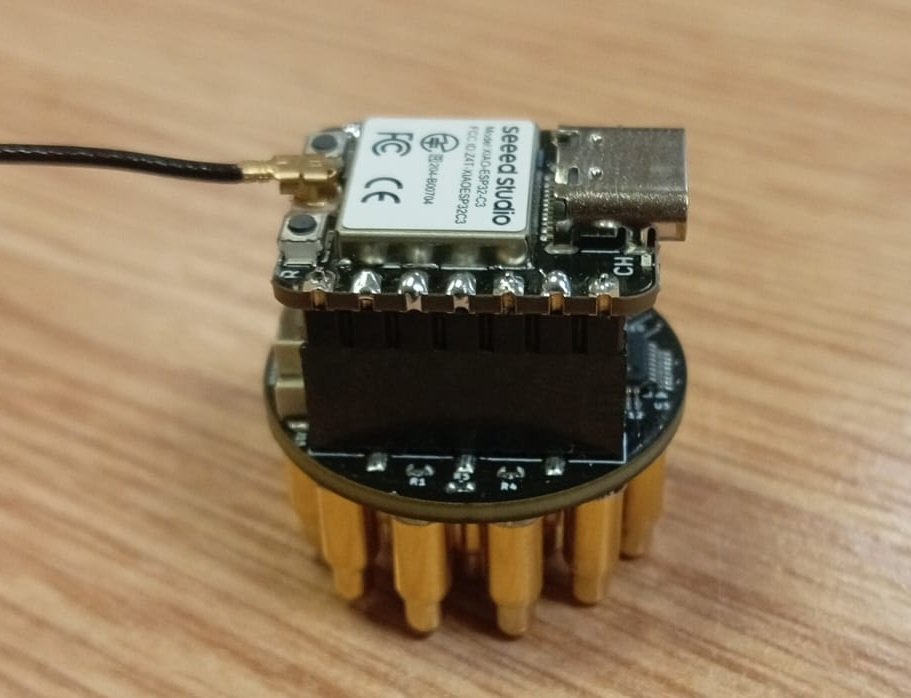
    A round 16-channel board whose spring-loaded pogo pins are the electrodes, so there's no gel, no cap and no cables. A Seeed Studio XIAO ESP32-S3 on top streams the signal over Bluetooth, and the browser turns it into band power.

    It reads
    • Band power δ θ α β γ, relative
    • Focus, relax uncalibrated indexes
    • RMS µV
    • Strongest band
    • "EEG ok" check RMS 2 to 200 µV
    Under the hood
    • Electrodes 16 dry pogo pins
    • ADC 2 × ADS131M08
    • Controller XIAO ESP32-S3
    • Rate 250 SPS
    • Name Octopus-16-XXXX
    Elecrow starter kit shown alongside Octopus 16
    02 / Make something happen
    Room side · Web Serial, 115200 baud

    All-in-One Starter Kit for Arduino

    Elecrow's starter kit (SEA0004T): an Arduino Uno-compatible board with sensors and outputs already mounted in one case. It runs the OctoBio firmware, which you flash once from the browser.

    Sensors
    • Light BH1750, lux
    • Distance ultrasonic, cm
    • Temp & humidity DHT20
    • Motion PIR
    • Tilt MPU6050, no heading
    • Sound, soil, knob raw 0 to 1023
    • Button, IR remote
    Outputs
    • Light D10 on, off, flash
    • Light D8 on, off
    • Servo 0 to 180°
    • Relay
    • Buzzer
    • Screen 16×2 LCD

    What students learn

    Biology, electronics and programming in one experiment, with the same setup from primary school to university.

    Biology

    Brain rhythms (delta, theta, alpha, beta, gamma), why alpha rises when the eyes close, and the artifacts that blinks and jaw clenches leave in the signal.

    Electronics

    Sensors and actuators, analog vs digital, I2C, serial communication, units and ranges.

    Programming

    If / else, loops, thresholds, mapping one range onto another, and combining two signals into one decision.

    Five block levels

    Same kit, same lessons. Move up a level as the class does.

    StoryLevel 1
    WordsLevel 2
    BandsLevel 3 · δ θ α β γ
    MeasureLevel 4 · numbers and units
    RawLevel 5 · raw values
    Primary schoolUniversity

    How to set it up

    Open the lab, flash once, connect, put it on, build. Everything happens in one browser tab at octobridge.pieeg.com.

    1. 1

      Gather the kit

      The box has both devices. You add the power bank and the computer.

    2. 2

      Open the lab in Chrome or Edge

      Go to octobridge.pieeg.com in desktop Chrome or Edge. The lab needs Web Bluetooth and Web Serial, which only those browsers have.

      Safari and phones can't open USB serial. No account, no install, and the Bluetooth and USB connections stay in the tab.

      —HomeWhat you can read, what you can move, ready mixes
      —FlashPut firmware on the boards. First time only.
      1ConnectPair the Octopus 16 and/or the starter kit
      2BoardLive numbers, lights, motor and screen
      3BlocksStack a program and run it
      4LearnWhat a reading is allowed to mean
      5WriteThe same program, written like a page
      6RepeatSix ready machines to run and remix
    3. 3

      Flash the firmware once

      Open Flash, plug each board in with a USB data cable and install its firmware from the browser. No Arduino IDE. You only do this the first time.

      Close-up of the XIAO controller mounted on Octopus 16 on a desk
      Bench setup · XIAO controller mounted above the EEG board
    4. 4

      Connect both devices

      On Connect, pair the Octopus 16 over Bluetooth and pick the starter kit's serial port. Both stay live at once. Skip a device you don't have: its numbers stay still until it's connected.

      When the kit's port opens, the board restarts. Wait until its status says live.

      1. Power the Octopus 16 from the power bank, then choose Octopus-16-XXXX in the Bluetooth picker.
      2. Plug the starter kit into the computer and choose its port in the serial picker.
      3. The kit answers at 115200 baud and the Board page starts moving.
      Kit ready line: INF protocol=1 ready
    5. 5

      Put on the Octopus 16, on battery only

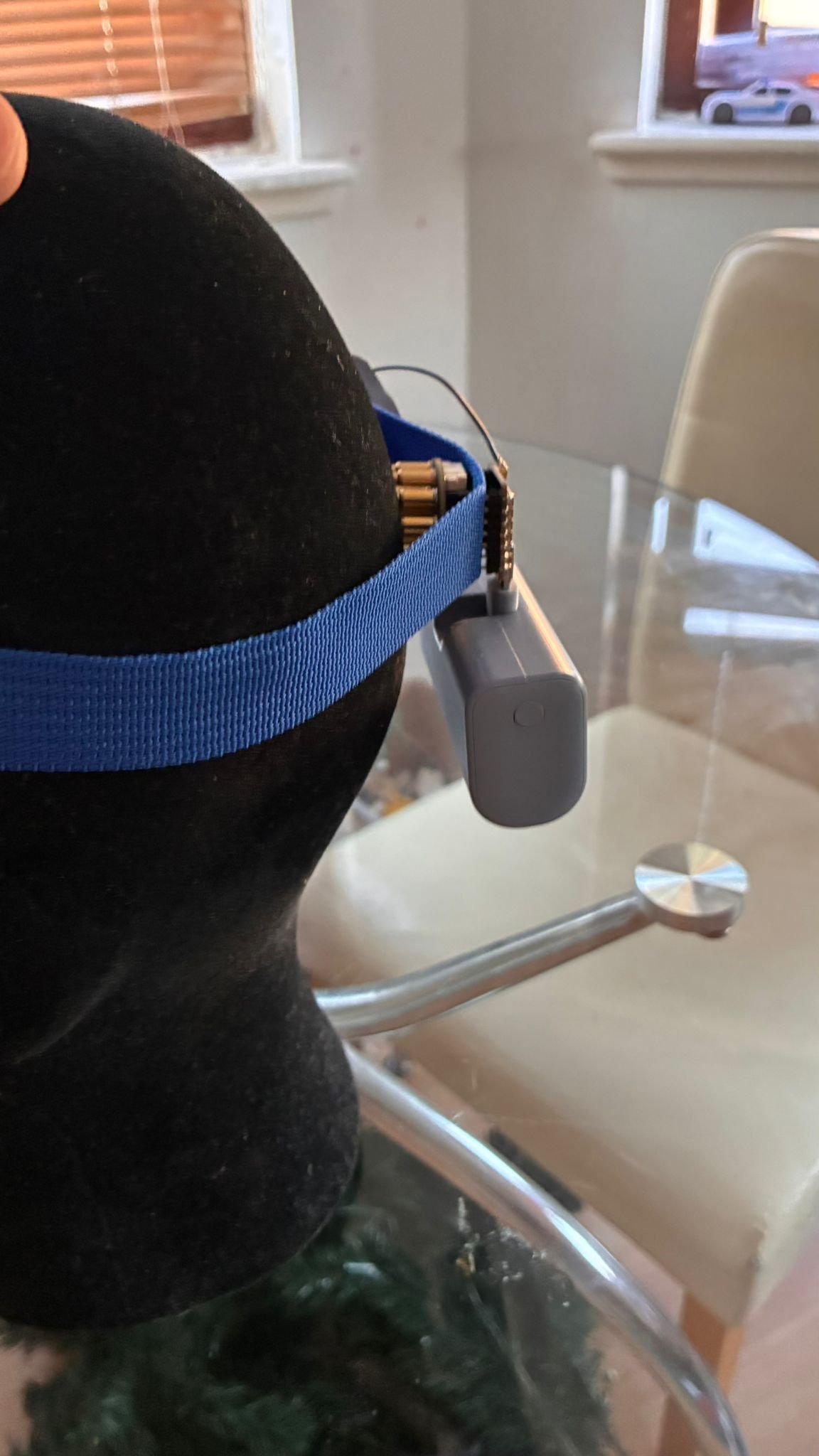
      Strap the Octopus 16 over the back of the head (the visual cortex) so alpha shows up clearly. Press it straight down so every pin touches the scalp.

      The board has no isolation from its power supply. While it's on a head, it runs from the power bank only, never plugged into a computer. Try each option.

      Octopus 16 secured at the back of the head with a blue strap
      Placement example from PiEEG. Keep the worn board on battery power only.

    6. 6

      Check the signal

      On Board, look for the EEG ok check: RMS between 2 and 200 µV. Then run the two quick tests below. If they behave as described, you're reading real biosignals.

      A blink or a jaw clench raises RMS and gamma. That's muscle, not a thought, and a good first lesson.

    7. 7

      Build with blocks

      Open Blocks, stack forever, if, wait and a move, and press run. The program runs live and sends commands to the kit, so there's no compiling and no second sketch to flash.

      Start with Follow the knob: it needs no headset. Then try a ready mix from Repeat, or the lessons above.

      forever if alpha is high light D10 on else light D10 off
      Eyes closed → alpha rises → the LED turns on.

    Specifications

    Everything in the kit, plus the web app that ties it together.

    Octopus 16 EEG board included

    Channels
    16 EEG, dry spring-loaded pogo pins
    ADC
    2 × Texas Instruments ADS131M08, 24-bit
    Controller
    Seeed Studio XIAO ESP32-S3
    Wireless
    Bluetooth LE, 250 SPS
    Power
    5 V power bank, battery only while worn

    Starter Kit for Arduino SEA0004T, included

    Board
    Arduino Uno compatible (ATmega328P)
    Connection
    USB serial, 115200 baud
    Sensors
    Ultrasonic distance, light (BH1750), temperature & humidity (DHT20), motion (PIR), sound, soil moisture, potentiometer, accelerometer (MPU6050), button, IR receiver
    Outputs
    LED, second LED, relay, buzzer, servo, 16×2 LCD
    Firmware
    OctoBio firmware, flashed once from the browser

    Software web app

    Platform
    Web app, Chrome or Edge (desktop)
    Connection
    Web Bluetooth (Octopus 16) + Web Serial (starter kit), both live at once
    Firmware
    Flashed by the user from the browser, one time only
    Programming
    Blocks, 5 difficulty levels, runs live without compiling
    EEG values
    Relative band power δ θ α β γ, focus, relax, signal quality

    In the box

    • 1 × Octopus 16 EEG board (with ESP32-S3)
    • 1 × Elecrow All-in-One Starter Kit for Arduino (SEA0004T)
    • Access to the OctoBio web app and firmware

    SKU PIA24028P · 570 g · Sold by PiEEG on Elecrow

    Not included

    • 5 V power bank for the Octopus 16
    • A computer with Bluetooth running desktop Chrome or Edge

    Support for the OctoBio software, firmware and the Octopus 16 comes from the PiEEG team: Discord, GitHub or pieeg@pieeg.com.

    Before anyone puts it on

    • The OctoBio Kit is not a medical device and hasn't been certified by any regulator for use with the human body. It's a learning and experimentation tool.
    • Focus and relax are uncalibrated learning indicators. Never use them for diagnosis, or as a measure of mood or ability.
    • Wear the Octopus 16 on battery power only, never while it's plugged into a computer or a wall charger.
    • Never connect the relay to mains voltage.
    • Press the pogo pins straight down and keep them clean with isopropyl alcohol. Don't use oil or grease on them.
    • Don't use it with a pacemaker or other implanted device without asking a physician. Stop if the skin becomes irritated.