
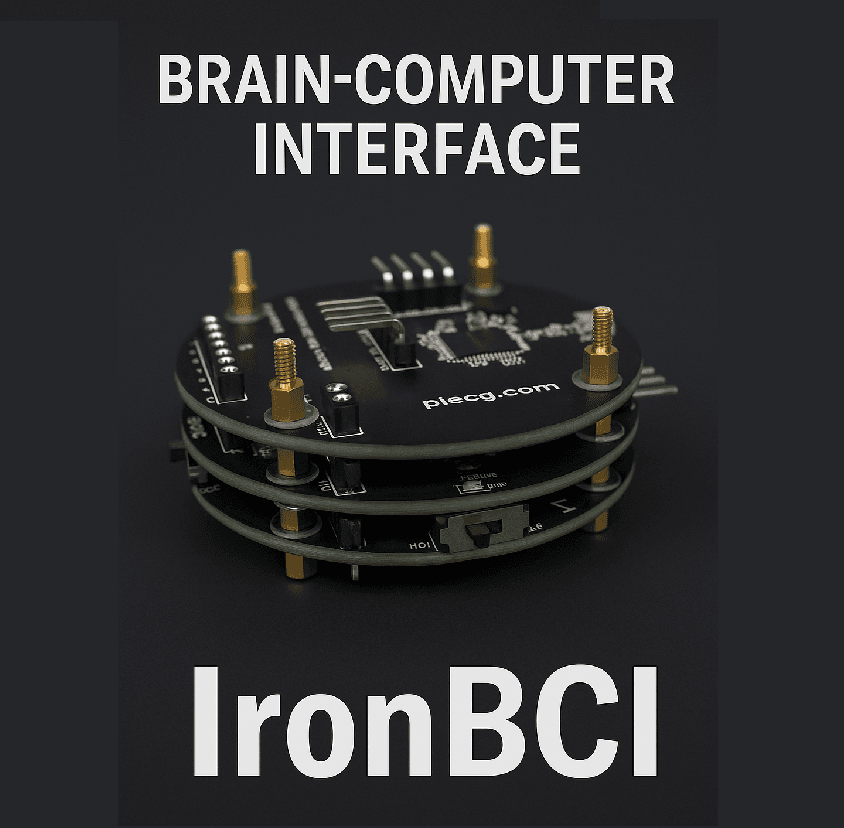
Today marks a significant milestone in making brain-computer interfaces truly accessible: browser-native hardware support for IronBCI devices. No downloads. No drivers. No installation barriers. Just open your browser and connect.
The Installation Problem is Solved
For years, getting started with BCI hardware meant navigating driver installations, platform-specific software, permission errors, and compatibility issues. Not anymore.
We've leveraged modern web standards to eliminate these barriers entirely:
🔵 Web Bluetooth for IronBCI (8-Channel)
Your wireless 8-channel IronBCI now connects directly through Chrome, Edge, or any Chromium-based browser using the Web Bluetooth API. Click "Connect," pair your device, and you're streaming brain signals—in seconds.
- Zero installation: Works on Windows, macOS, Linux, ChromeOS, and Android
- Instant pairing: Browser-level device selection dialog
- Secure connection: Built-in encryption and permission model
- Battery-powered mobility: Wireless freedom for real-world experiments
🔌 Web Serial for IronBCI-32 (32-Channel)
Professional 32-channel recordings now work through the Web Serial API. Plug in your IronBCI-32 via USB, grant browser permission, and start capturing high-density neural data.
- Plug-and-play: No driver installation on supported browsers
- High-bandwidth: Full 32-channel streaming at 500 Hz
- Cross-platform: Works on desktop Chrome/Edge
- Research-grade: Professional signal quality without software complexity
Why This Changes Everything
For Educators
Open a URL in a computer lab. Students connect their devices. Class starts. No IT department, no pre-installed software, no troubleshooting sessions eating into teaching time.
For Researchers
Share a web link with participants. They open it, connect the headset, and your study begins. Remote research becomes truly remote—no Zoom tech support calls for driver installations.
For Makers & Hobbyists
Experimentation barrier drops to zero. Try an EEG experiment, a neurofeedback game, or a custom BCI app without committing to a software ecosystem. If it doesn't work out, just close the tab.
For Workshops & Demos
Conference booth? Hackathon table? Guest lecture? Scan a QR code, open the web app, connect the device, and demonstrate live brain signals in under 30 seconds.
What This Means for PiEEG
Every experience we build runs in the browser:
- P300 Mini-Game: Brain-controlled selection with single-trial decoding
- Avatar Foundation: Real-time neurofeedback with spectral mapping
- Face Trainer: Multi-expression fEMG classification
- Blink Runner: Eye-blink controlled maze navigation
All of these now work with zero installation on IronBCI hardware. Open the URL. Connect. Play.
Getting Started
IronBCI (8-Channel BLE)
- Visit cloud.pieeg.com
- Click "Connect Hardware"
- Select "IronBCI" from the device list
- Grant Bluetooth permission
- Done. You're streaming.
IronBCI-32 (32-Channel USB)
- Plug IronBCI-32 into your USB port
- Open cloud.pieeg.com in Chrome/Edge
- Click "Connect Hardware"
- Select your device from the serial port list
- Grant permission
- Done. All 32 channels streaming.
The Bigger Picture
This is part of our vision for radically accessible neurotechnology. The browser is the most widely distributed computing platform on Earth. By building for the web-first, we make BCI accessible to:
- Students in schools without admin privileges
- Researchers without IT budgets
- Makers in countries with limited software distribution
- Anyone with a web browser and curiosity
The installation barrier is gone. The permission barrier is simplified. The compatibility barrier is eliminated.
Brain-computer interfaces are now as accessible as a website.
Try It Today
All IronBCI and IronBCI-32 devices now support browser-native connection. Visit cloud.pieeg.com to try it yourself—choose from P300 games, neurofeedback avatars, facial control trainers, and more.
No installation required. Just curiosity.
Want to build your own browser-based BCI app? Check out our open-source signal processing libraries and hardware documentation. If it runs in a browser, it can control with your brain.